Introduction
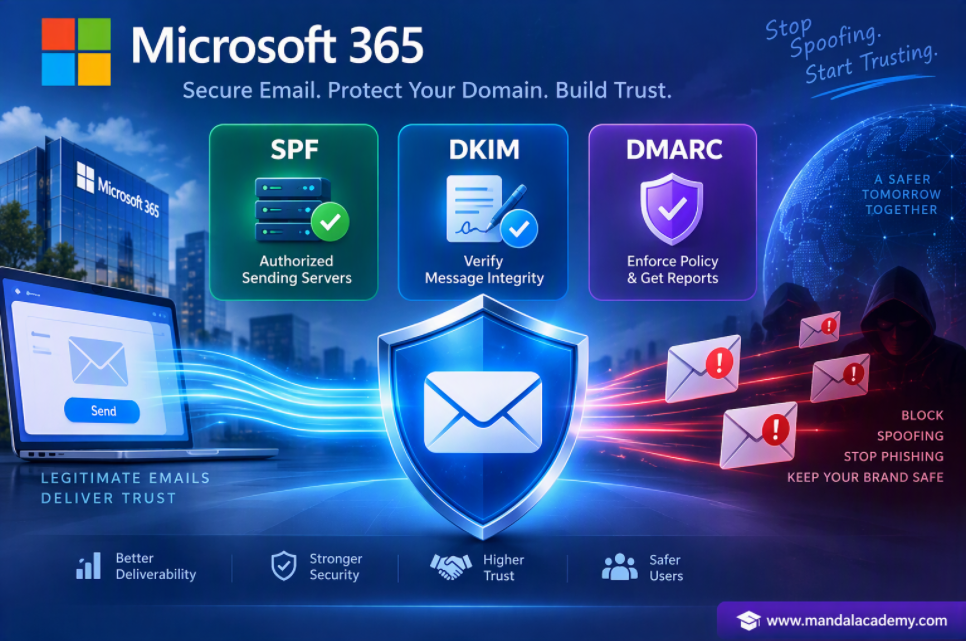
Email spoofing, phishing attacks, and domain impersonation are common challenges faced by organizations today. To protect your domain and improve email deliverability, Microsoft 365 and other email platforms recommend implementing three important email authentication protocols: SPF (Sender Policy Framework), DKIM (DomainKeys Identified Mail), and DMARC (Domain-based Message Authentication, Reporting & Conformance).
Together, these technologies help verify that emails sent from your domain are legitimate and reduce the risk of fraudulent messages reaching recipients.
In this article, we'll explore SPF, DKIM, and DMARC, how they work, and why they're essential for every Microsoft 365 tenant.
What is SPF & How SPF Works?
SPF is used to validate if the emails sent by the legitimate sender. It's help organization from spoof or phishing email. A sender will add their email server IP address or Full Qualified Domain Name (FQDN) in SPF record in his domain provider, when recipient email server will receive the email, it will check the FROM header and will extract the domain name from the FROM header.
With the help of that domain name receipient server will goto the public DNS and it will check the SPF record and validate if the IP address or FQDN from which the email will sent is added within the SPF record or not. If it is added then SPF record will pass. if not added/founf then the SPF will fail and as per action specified with in SPAM Filter Policy at recipient side action will be taken on that email.
Example SPF Record
Breakdown
- v=spf1 = SPF version
- include:spf.protection.outlook.com = Allows Microsoft 365 mail servers
- -all = Reject emails sent from unauthorized servers (Enforcement rule)
Example: v = spf ip 4:192:168.01.1 include:spf.protection.outlook.com -all (IP address should be your email server IP address)
Enforcement Rule
Enforcement rule means the action that the receipient server takes based on the SPF result. There are three type of SPF rule present.
- Hard Fail (-all) -> Only listed server can send email. Its indicate we have only one server where all user will be sending email using this server.
- Soft Fail (~all) -> Unlisted servers also suspecious but not completely blocked. Used when organizatio have more than one email server.
- Nutral (?all) -> Nutral is resolved for testing purpose not used in production.
Note: To add spf record we need to add/update a txt record within the DNS management of your public DNS. After add we can verify it from mxtoolbox.
Benefits of SPF
- Helps prevent email spoofing
- Improves email deliverability
- Identifies authorized sending sources
- Reduces phishing attempts
What is DKIM & How DKIM Works?
DKIM (Domain Key Identified Mail) is an email security standard which is design to make sure the emails are not altered during the transmission from source to destination.
As soon as you send an email DKIM uses public key encryption to sign that email with a private key.
To enable DKIM for a domain we need to add two CNAME record in our public DNS, these CNAME record is used as a public key by the recipient email server to verify if the emails body has not changed during the transmission. Once the signature is verified by the recipient email server DKIM will pass and the email is treated as a authenticate.
Two CNAME:
- Host Name: selector1.domainkey.points to address : selector1 <domain GUID>. -domainkey.<initial domain>
- Host Name: selector2.domainkey.points to address : selector2 <domain GUID>. -domainkey.<initial domain>
Analyse email header for DKIM:
DKIM - Signature: v=1; a=rsa - sha256; d=mandalacademy.com; s=selector; h=From; date : subject : Message-ID ; content-type : MIME Version : X-MS-Exchange-Sender Ad Check;
- DKIM Signature = Means that email is digitally signed.
- a = rsa - sha256 = It's algorith to sign that particular email.
- d = mandalacademy.com = Domain name that signed to in this particular email.
How to check DKIM configuration for a domain:
get-DkimSigningConfig -Identity domainName.com | fl
How DKIM Works
- Email is sent from your domain.
- Sending server adds a digital signature.
- Public key is stored in DNS.
- Recipient validates the signature.
- If validation succeeds, the message is trusted.
What is DMARC & How DMARC Works?
DMARC (Domain-Based Message Authentication Reporting and Conformance) helps receiving email servers to determine what to do with the emails if SPF or DKIM fail.
Example:
v = DMARC1 : P = Reject; pct = 100; rua = mailto: ramprsad@gmail.com
Policy if SPF & DKIM fail:
- None: Recipient server will not take any action and mail will delivered to the recipient.
- Reject: The recipient server will reject the email if SPF or DKIM or both failed.
- Quarantined: If policy is set to quarantine then recipient server will rejected that email, if SPF or DKIM or both failed. And email will delivered to the quarantined portal.
*** Need to set this policy in domain provider system (Like, GoDaddy, Hostinger etc).
*** Validate for DMARC, which policy is set for a domain go to the website - mxtoolbox.com
Some Important Notes:
- DMARC works with SPF and DKIM. So before enable DMARC we need to enable/publish SPF and DKIM for the domain.
- DMARC provide additional protection against spoofing and phishing email.
- DMARC helps receiving server to act on the email which has the SPF and DKIM failed.
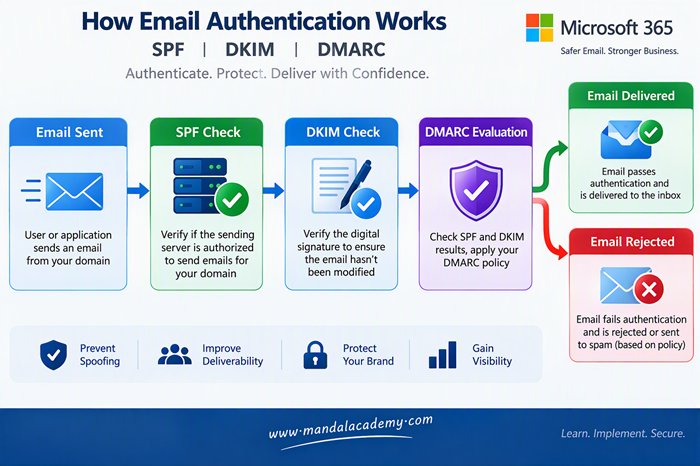
Think of them as three layers of protection:
- SPF verifies who sent the email.
- DKIM verifies the email wasn't altered.
- DMARC enforces your policy and provides reporting.

Comments (0)
No comments yet. Be the first to leave one!