Introduction
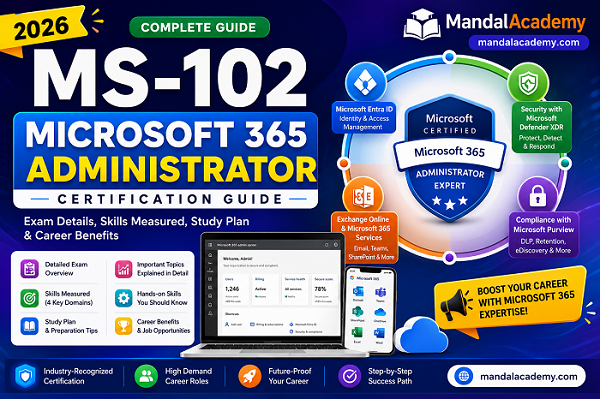
The MS-102: Microsoft 365 Administrator certification is Microsoft's flagship certification for IT professionals responsible for deploying, managing, securing, and maintaining Microsoft 365 environments.
Whether you're an Exchange Online Administrator, Microsoft 365 Engineer, System Administrator, Messaging Engineer, or Cloud Administrator, this certification validates your expertise in managing enterprise Microsoft 365 services.
MS-102 focuses on Microsoft 365 tenant administration, Microsoft Entra ID, Exchange Online, Microsoft Teams, SharePoint Online, Microsoft Defender XDR, Microsoft Purview, licensing, compliance, and security.
If you're planning to build a career in Microsoft 365 administration, MS-102 should be one of your highest priorities.
What is MS-102?
MS-102 is the certification exam required to earn the Microsoft 365 Certified: Administrator Expert credential.
It validates your ability to:
- Deploy Microsoft 365
- Configure Microsoft 365 services
- Manage identities
- Protect users and devices
- Secure organizational data
- Implement compliance solutions
- Troubleshoot Microsoft 365 services
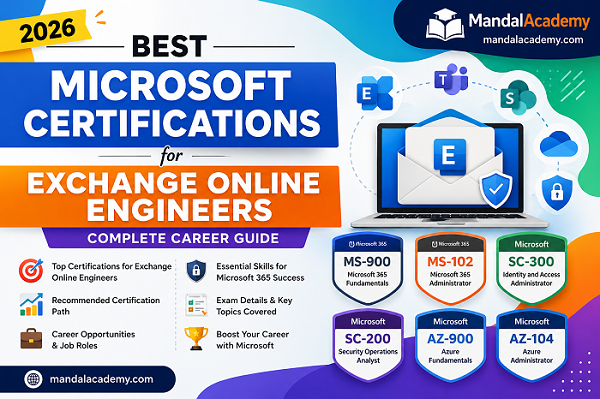
Unlike MS-900, which introduces Microsoft 365 concepts, MS-102 focuses on real-world administration tasks performed by enterprise administrators.
Exam Overview
Exam Code: MS-102
Certification: Microsoft 365 Certified: Administrator Expert
Certification Level: Expert
Exam Duration: Approximately 100–120 minutes
Passing Score: 700/1000
Question Types
- Multiple Choice
- Drag and Drop
- Case Study
- Scenario-Based Questions
- Best Answer
- Hot Area
Skills Measured in MS-102
Microsoft currently divides the exam into four major domains.
1. Deploy and Manage a Microsoft 365 Tenant
This section focuses on creating and managing a Microsoft 365 environment.
Tenant Deployment
Topics include:
- Microsoft 365 tenant setup
- Organization profile
- Custom domain verification
- DNS configuration
- Subscription management
Real-World Example
A company purchases contoso.com and wants to use it for email. The administrator verifies the domain and configures MX, Autodiscover, SPF, DKIM, and DMARC records.
User Management
Learn how to:
- Create users
- Delete users
- Restore deleted users
- Manage guest users
- Reset passwords
- Bulk user import
Group Management
Understand:
- Microsoft 365 Groups
- Security Groups
- Mail-enabled Security Groups
- Distribution Lists
- Dynamic Groups
License Management
Topics include:
- Assign licenses
- Remove licenses
- Group-based licensing
- License troubleshooting
- Subscription management
Administrative Roles
Learn built-in roles such as:
- Global Administrator
- Exchange Administrator
- Teams Administrator
- SharePoint Administrator
- User Administrator
- Billing Administrator
2. Implement and Manage Microsoft Entra Identity and Access
Identity is one of the largest sections of the MS-102 exam.
Microsoft Entra ID
Previously called Azure Active Directory.
Topics include:
- User identities
- Groups
- Authentication
- Hybrid Identity
- Cloud Identity
Password Management
Learn:
- Password Policies
- Password Writeback
- Password Protection
- Self-Service Password Reset (SSPR)
Multi-Factor Authentication (MFA)
MFA provides additional security by requiring a second verification method.
Examples:
- Microsoft Authenticator
- SMS
- Voice Call
- FIDO2 Security Keys
Conditional Access
Conditional Access controls user sign-ins based on conditions such as:
- User
- Device
- Application
- Risk Level
- Geographic Location
Example:
Require MFA only when users access Microsoft 365 from outside the corporate network.
Hybrid Identity
Topics include:
- Microsoft Entra Connect
- Cloud Sync
- Pass-through Authentication
- Password Hash Synchronization
- Federation
3. Manage Security and Threats Using Microsoft Defender XDR
This domain has the highest weight in the current exam.
Microsoft Defender for Office 365
Protects email and collaboration services.
Topics include:
- Anti-Spam
- Anti-Phishing
- Anti-Malware
- Safe Links
- Safe Attachments
- Quarantine Policies
Microsoft Defender XDR
Provides unified threat detection and response across Microsoft services.
Learn:
- Incident Management
- Alerts
- Investigations
- Threat Hunting
- Security Reports
Email Protection
Learn how to:
- Configure spam filtering
- Manage phishing policies
- Block malicious senders
- Review quarantine messages
Threat Explorer
Allows administrators to:
- Search malicious emails
- Investigate attacks
- Remove harmful emails
- Analyze threats
Secure Score
Microsoft Secure Score provides recommendations to improve your organization's security posture.
Example recommendations include:
- Enable MFA
- Configure Conditional Access
- Enable DKIM
- Disable legacy authentication
4. Manage Compliance Using Microsoft Purview
Organizations must protect sensitive data and meet regulatory requirements.
Microsoft Purview
Topics include:
- Compliance Center
- Information Protection
- Data Governance
- Risk Management
Data Loss Prevention (DLP)
DLP helps prevent sensitive information from leaving your organization.
Examples include protecting:
- Credit Card Numbers
- Passport Numbers
- Banking Information
- Personal Identifiable Information (PII)
Retention Policies
Retention policies allow organizations to:
- Keep data for a specified period
- Automatically delete outdated content
- Meet legal requirements
Sensitivity Labels
Sensitivity labels classify and protect information.
Common labels include:
- Public
- Internal
- Confidential
- Highly Confidential
Labels can also encrypt files and emails.
eDiscovery
eDiscovery helps organizations:
- Search emails
- Preserve evidence
- Export content
- Support legal investigations
Audit Logs
Audit logging tracks administrator and user activities, making it easier to investigate changes and support compliance.
Microsoft 365 Services You Should Know
You should be familiar with:
- Exchange Online
- Microsoft Teams
- SharePoint Online
- OneDrive for Business
- Microsoft Entra ID
- Microsoft Defender
- Microsoft Purview
- Microsoft 365 Admin Center
Practical Skills Recommended
Although the exam focuses on Microsoft 365 administration, practical experience is equally important.
Hands-on skills include:
- Exchange Admin Center (EAC)
- Exchange Online PowerShell
- Mail Flow Rules
- Shared Mailboxes
- Distribution Lists
- Dynamic Distribution Groups
- Message Trace
- SPF, DKIM, and DMARC
- Exchange Online Protection (EOP)
- Microsoft 365 Admin Center
- Microsoft Entra Admin Center
Six-Week Study Plan
Week 1
- Microsoft 365 Tenant
- Users
- Groups
- Licensing
Week 2
- Microsoft Entra ID
- MFA
- Conditional Access
Week 3
- Exchange Online
- Teams
- SharePoint
- OneDrive
Week 4
- Microsoft Defender XDR
- Secure Score
- Threat Explorer
Week 5
- Microsoft Purview
- DLP
- Retention
- eDiscovery
Week 6
- Practice Exams
- Hands-on Labs
- Review Weak Areas
Career Opportunities
After earning MS-102, you can pursue roles such as:
- Microsoft 365 Administrator
- Exchange Online Administrator
- Messaging Engineer
- Microsoft 365 Engineer
- Cloud Administrator
- Microsoft Consultant
- Identity Administrator
- Collaboration Engineer
- Microsoft 365 Support Lead
Frequently Asked Questions (FAQ)
Is MS-102 difficult?
Yes. MS-102 is an expert-level certification that requires a solid understanding of Microsoft 365 administration, identity, security, and compliance.
Is PowerShell required?
PowerShell isn't mandatory for passing the exam, but it's highly recommended because many real-world administrative tasks rely on Exchange Online PowerShell and Microsoft Graph PowerShell.
Should I earn MS-900 first?
Yes. If you're new to Microsoft 365, MS-900 provides the foundation needed before progressing to MS-102.
How much hands-on experience should I have?
Microsoft recommends practical experience managing Microsoft 365 services, Microsoft Entra ID, networking, DNS, Active Directory, and PowerShell before attempting MS-102.
Conclusion:
The MS-102: Microsoft 365 Administrator certification is one of the most valuable credentials for IT professionals working with Microsoft 365. It covers tenant management, Microsoft Entra ID, Microsoft Defender XDR, Microsoft Purview, Exchange Online, Teams, SharePoint, licensing, security, and compliance.
If your goal is to become an Exchange Online Engineer, Microsoft 365 Administrator, or Cloud Administrator, MS-102 is an excellent certification that validates enterprise-level administration skills and helps prepare you for modern cloud infrastructure roles.
Comments (0)
No comments yet. Be the first to leave one!